Soundbox
A downloadable tool for Windows
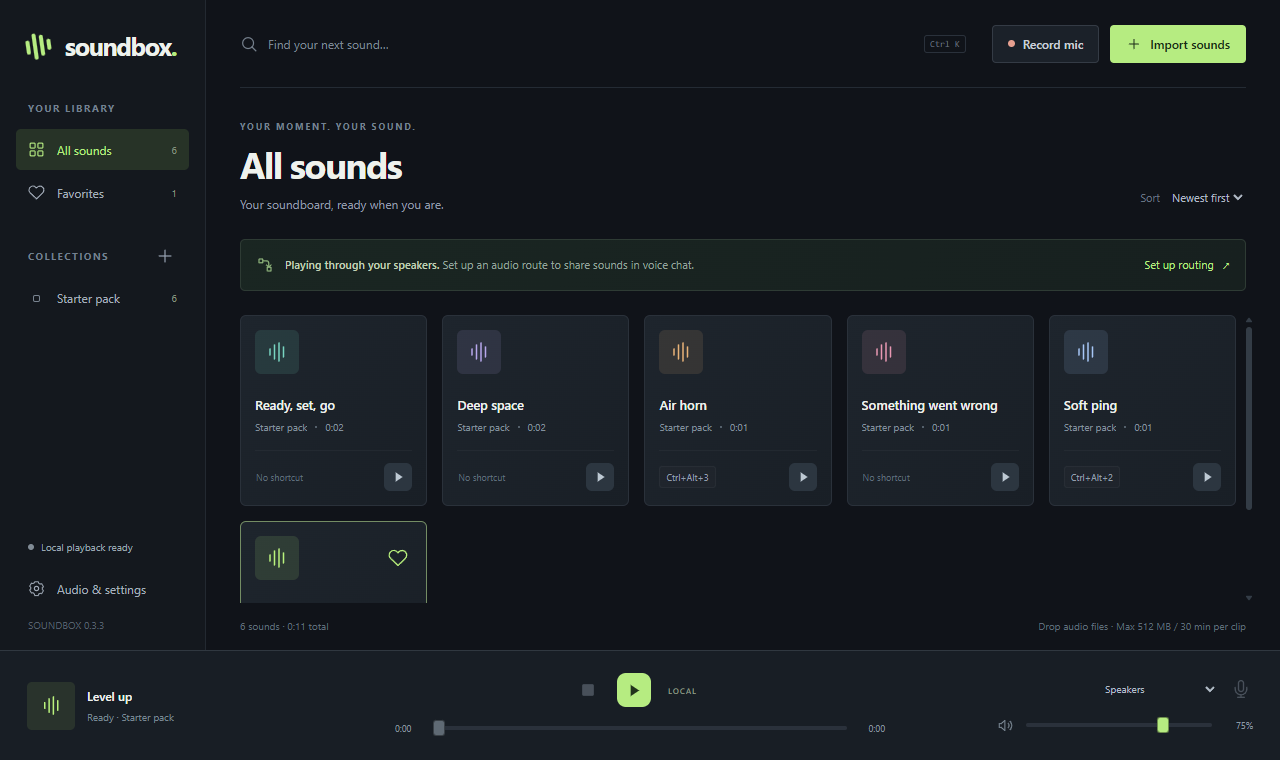
Soundbox is a soundboard for Windows that plays your sounds straight into your real microphone, so friends hear them in Discord, games, OBS and other voice apps. No virtual audio cable needed.
Features
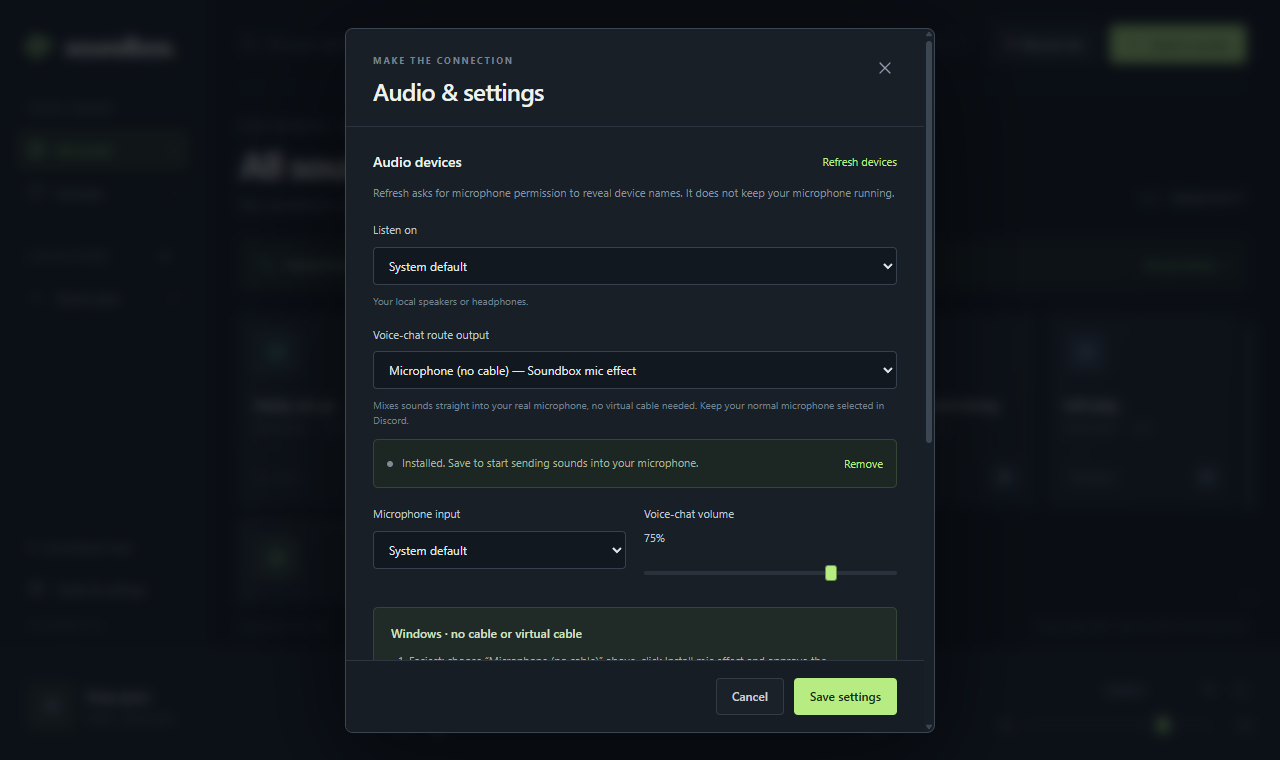
- No-cable microphone playback: Soundbox adds a small Windows audio effect to your microphone. Keep your normal mic selected in Discord.
- Global hotkeys for every sound. Click the hotkey field and press the keys.
- Play on your speakers, your microphone, or both.
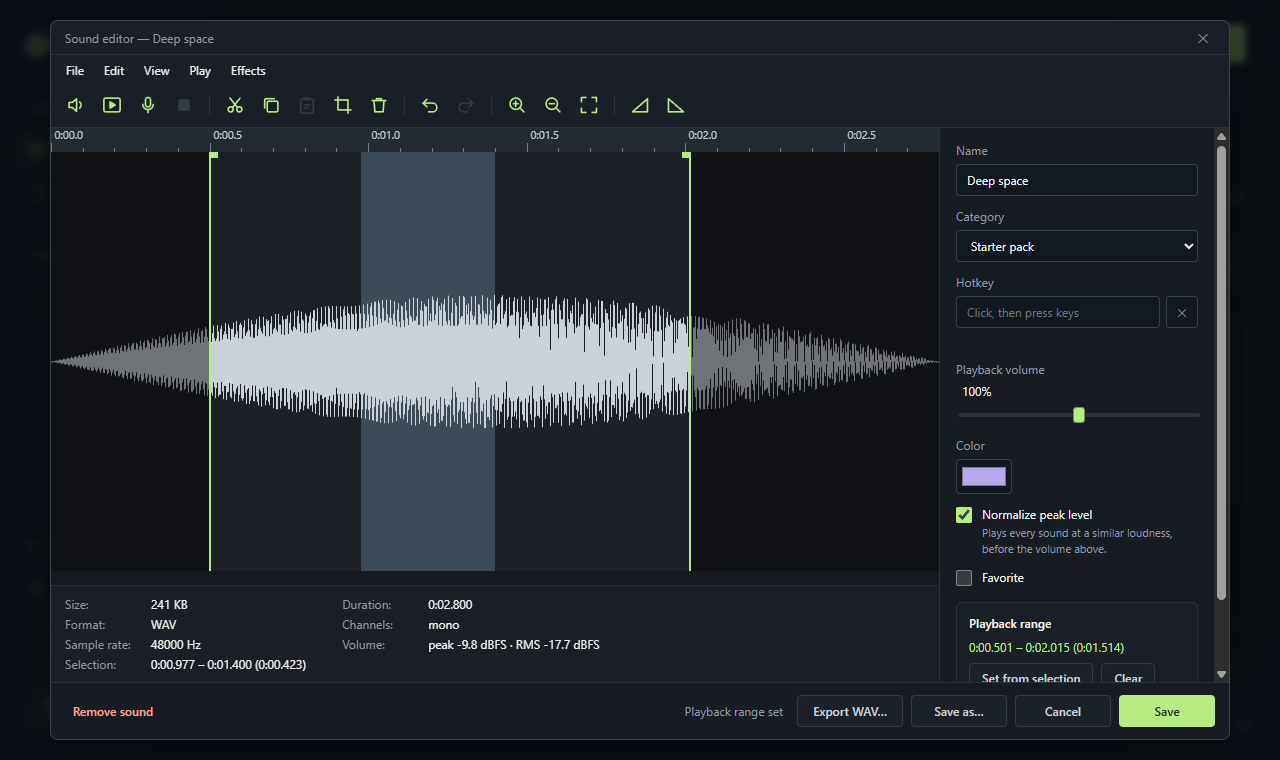
- Built-in sound editor: cut, copy, paste, crop, fade in/out, reverse, volume, trim silence, undo/redo, and a non-destructive playback range.
- Record clips from your microphone.
- Collections, favorites, search, drag-and-drop import (WAV, MP3, FLAC, OGG, Opus, AAC, M4A). Files up to 512 MB / 30 minutes.
- Works without the mic effect too: route through VB-CABLE or similar if you prefer.
First start
- Run the installer. Windows SmartScreen may say "Windows protected your PC" because Soundbox is not code-signed yet. Click More info, then Run anyway.
- Open Audio & settings, choose Microphone (no cable), click Install mic effect and approve the administrator prompt once.
- Set playback to Speakers + voice chat and keep your real microphone selected in Discord. Restart Discord if it was open.
- Audio enhancements must be on for your microphone in Windows Sound settings.
To uninstall the mic effect, click Remove in the same settings panel. Your previous microphone settings are restored.
Requirements
Windows 10 or 11, 64-bit.
This is an early release, tested on a small number of PCs. If something doesn't work with your microphone or headset, please leave a comment with your device name and Windows version.
Download
Click download now to get access to the following files:
Leave a comment
Log in with itch.io to leave a comment.